
What matched
The item, the area, and which saved search caught it. Enough to triage without opening the app.
Good local listings sell in minutes. By the time you remember to refresh, the seller has a queue of messages and the deal is gone. Spottable watches your saved searches around the clock, pings you the moment a real match appears, and tells you whether the price holds up before you tap.
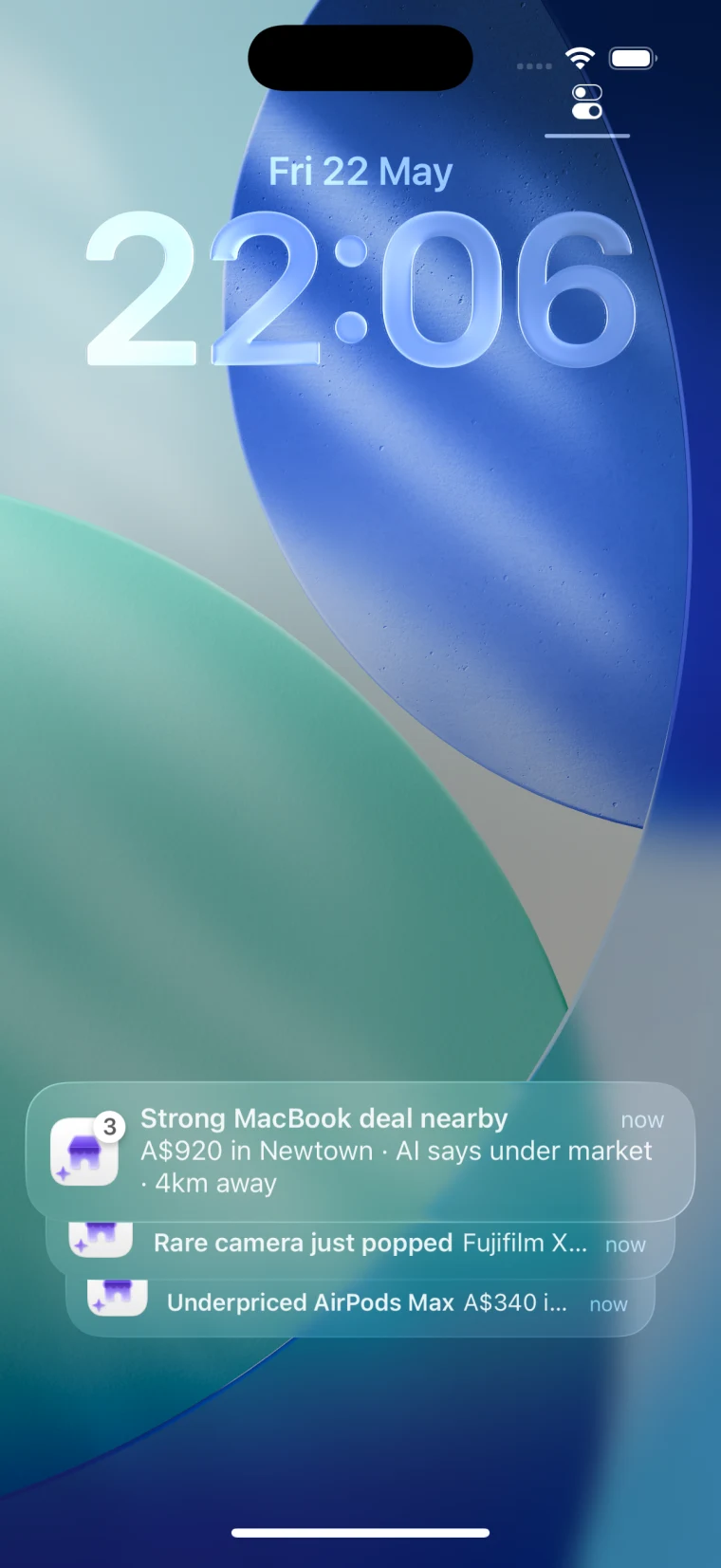
Why alerts matter
Facebook has the inventory. The catch is that good listings are buried under accessories, stale posts, loose location matches, and sellers who get flooded the moment a fair price appears. If you only check when you remember, you are already late.
An alert closes that gap. Set the criteria once, get pinged when something real shows up, and decide on the lock screen whether it is worth chasing. The difference between hearing about a good deal and being the first message in the seller’s inbox is usually a few minutes of attention you did not have to spend.
The useful bit
“New listing” is not a decision. A useful Marketplace alert gives you enough to triage from the lock screen: item, price, area, and the first hint of whether it is under market.
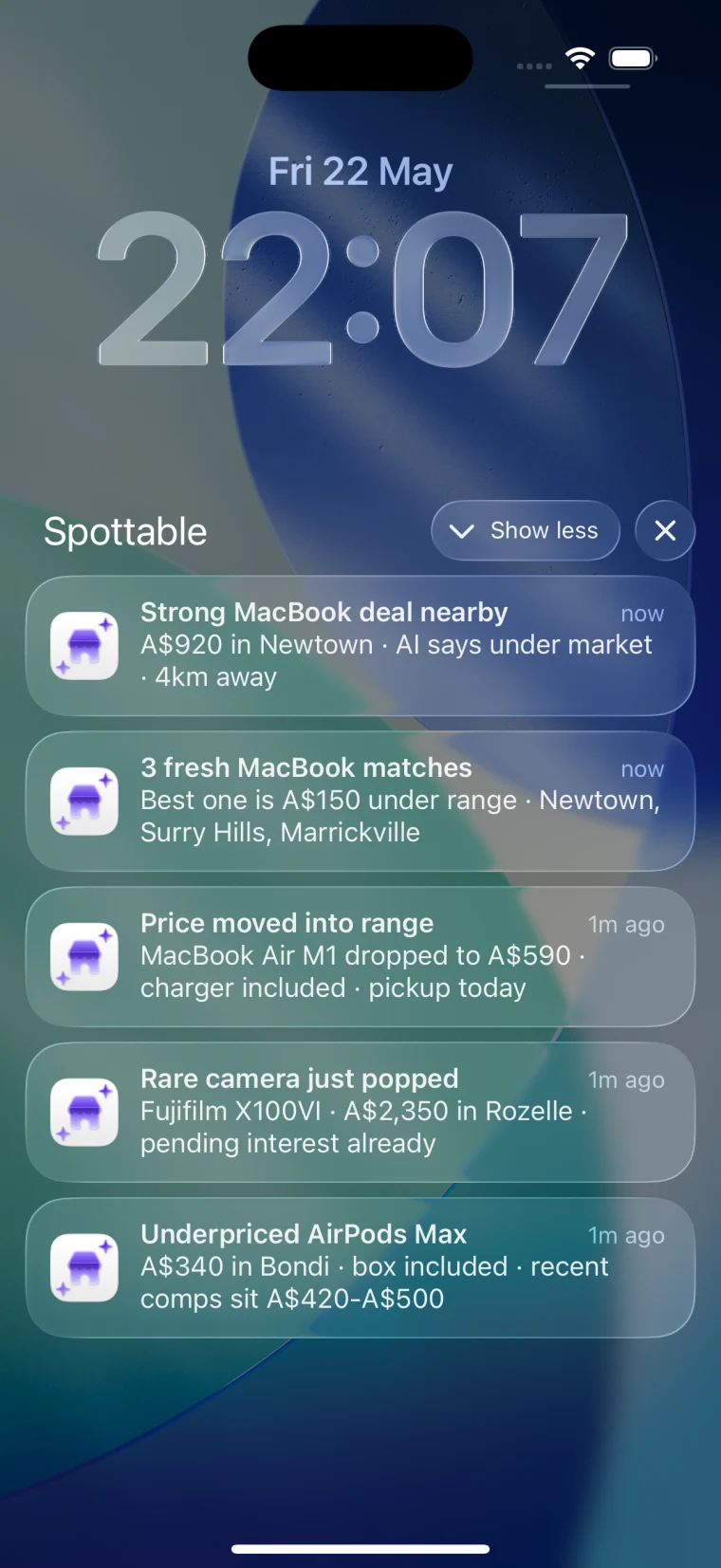
The item, the area, and which saved search caught it. Enough to triage without opening the app.
Price and market context turn “new listing” into “this one is under market.”
One tap into the listing with the Deal Checker primed and a first-message draft ready to send.
Where alerts actually help
Models, sizes, years, trims, bundles, or specs where the wrong match is not worth opening.
Listings where being early lets you inspect, pay, and collect before the seller’s inbox fills up.
Searches where price spread, condition, and speed matter more than casual browsing.
Items that surface infrequently, so being notified the first time one appears is the whole game.
Setup
The point is not to catch everything. The point is to catch the listings you would actually chase. Every setting should make the next notification easier to trust.
Use the model, size, generation, trim, or material that would make you stop scrolling. “MacBook Air M2 16GB” beats “MacBook” because the alert already starts with intent.
Set the area to the distance you would jump in the car for tonight. Run rare or hard-to-find items as a separate, wider search so they do not water down the urgent one.
Do not cap at your maximum spend. Set the alert around the price that would make you reply within minutes. If clean examples sell around $1,050, a $900 listing deserves attention.
Run the query first. If page one is accessories, broken units, or barely related listings, tighten the wording before you turn it into a recurring alert.
Multiple areas
A broad radius looks efficient, but it mixes different buying decisions together. A MacBook you can collect tonight is not the same alert as a rare camera two hours away. Keep those searches separate so the urgency stays obvious.
Keep your tightest radius for listings you could inspect or collect today. A clean alert here should earn an immediate reply.
Run distant inventory as its own search so it cannot drown out the matches you can actually act on.
For electronics, furniture, tools, bikes, cars, and collectibles, narrow by model or spec. Broad category alerts produce noise, not opportunities.
Save the typos, abbreviations, and model nicknames that everyone else misses. Less obvious listings attract fewer competing buyers.
How Spottable does it
Spottable runs in the background on iPhone and keeps watch on your saved searches: hourly by default, minute-by-minute on Boost. The refresh-and-hope habit goes away.
Every alert opens into the Deal Checker, which weighs the asking price against over a million observed Marketplace listings. You get a fast read on value, risk signals, and what to ask the seller before you tap message.
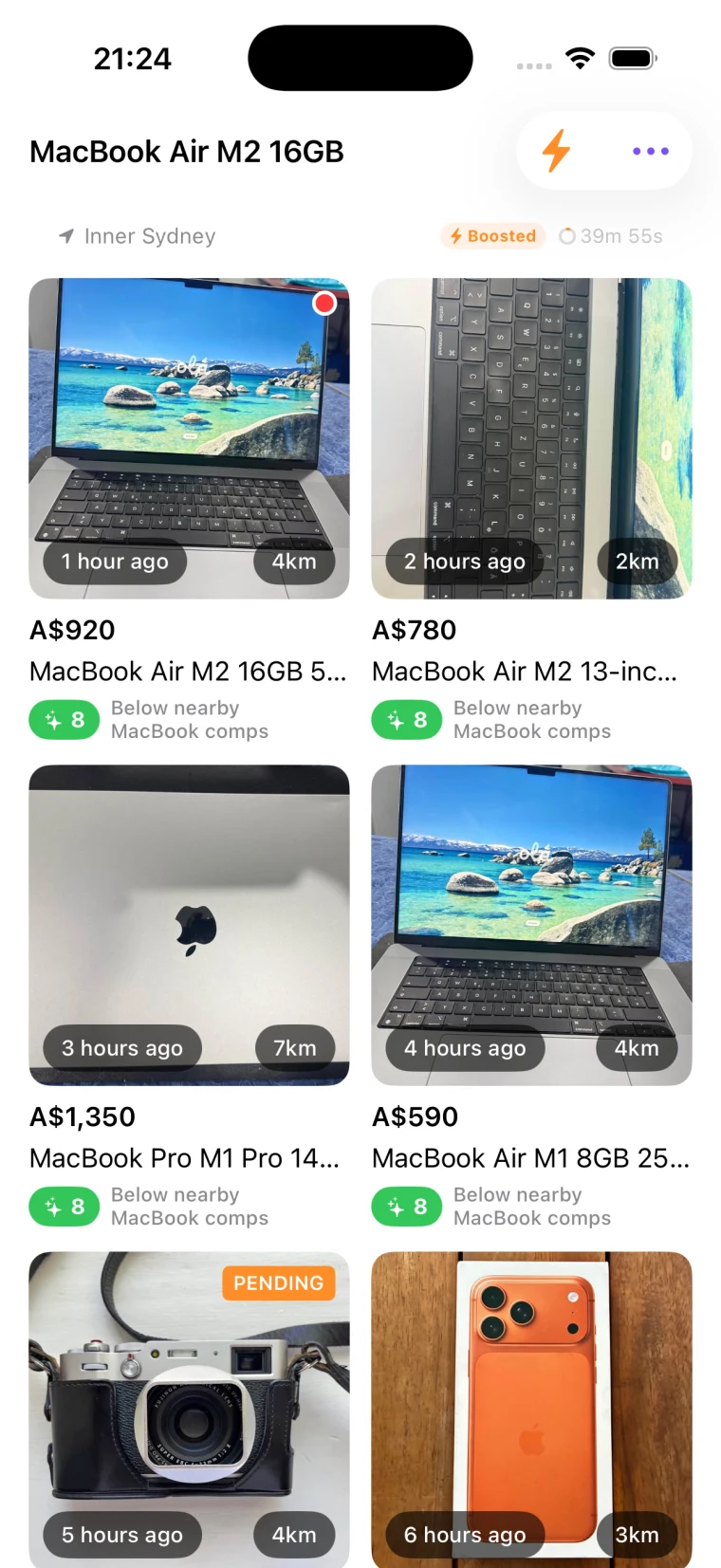
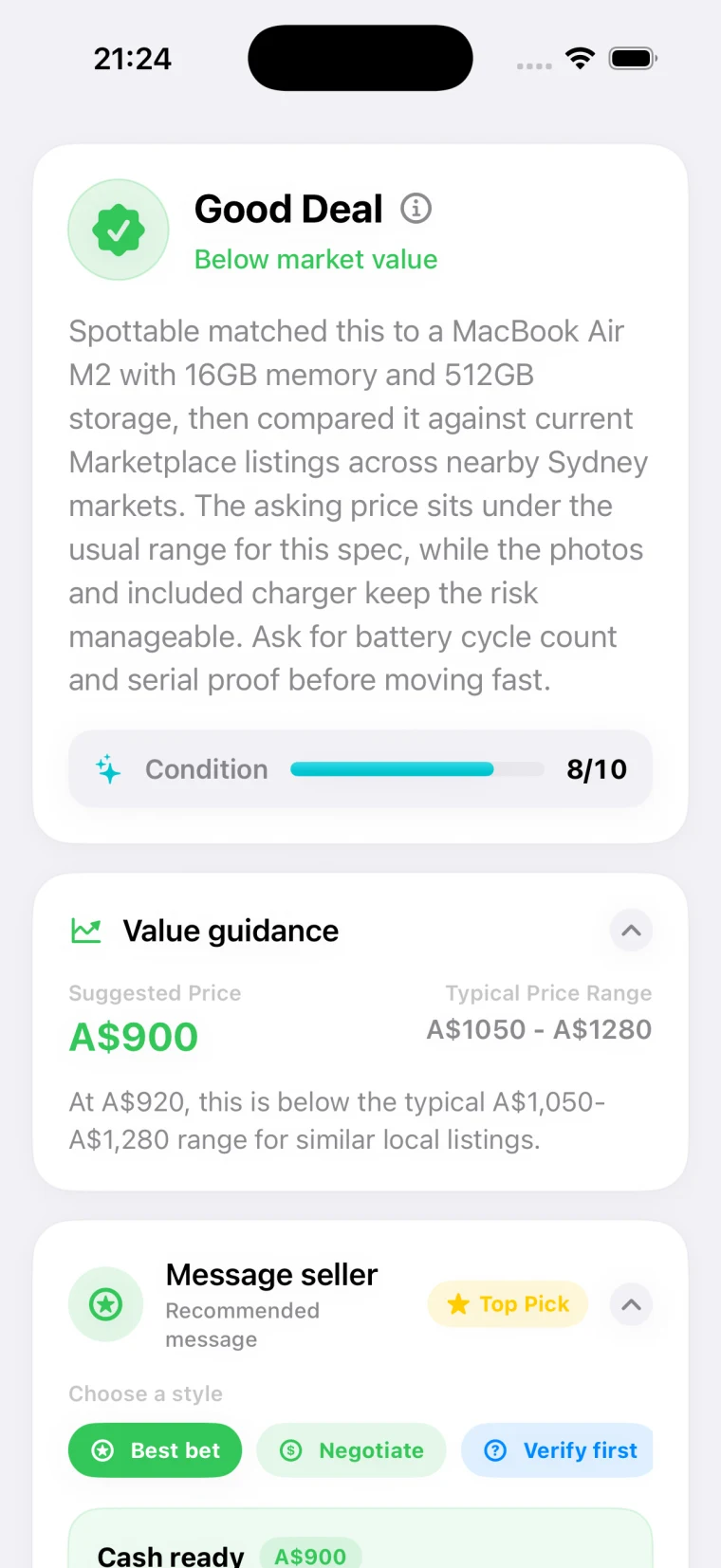
See whether the asking price looks high, fair, or under market against comparable listings.
A quick score and explanation, so you know in seconds whether this one deserves a fast reply.
Spot suspicious pricing, vague descriptions, stock photos, and the details worth verifying first.
Turn a good alert into a confident first message without burning the first ten minutes drafting.
Keep them sharp
Free to start
Spottable is free with 3 AI deal checks per day. Paid iPhone plans start at $4.99/month and unlock saved-search monitoring with hourly background alerts, plus 100 to 500 AI credits a month depending on tier. Boost adds minute-by-minute checks on your most important searches from $19.99/month.
FAQ
Facebook does send saved-search notifications, but most buyers still end up refreshing manually because the alerts are inconsistent and light on context. That gap is what Spottable closes: reliable background monitoring plus enough deal context to know whether a match is worth opening.
Start with three to five narrow searches you would genuinely reply to. Add more once those alerts are producing matches you actually act on. A few sharp alerts beat a feed full of category noise.
Several narrow ones. Splitting by model, suburb, and price range means each alert has a clear reason to exist, and you can see at a glance which ones are working.
Spottable watches your saved searches on iPhone, pings you when a real match appears, and runs the Deal Checker so you know whether the price is fair before you open the listing. The point is not just hearing about new listings. It is knowing which ones are worth chasing.
Next step
Spottable runs in the background on iPhone. Or use the Chrome extension to deal-check any Marketplace listing as you browse.